
Talking to your forms: building an AI assistant on a small model
How KyraForm's AI assistant changes any part of a form from one sentence on Amazon Nova Lite, and the guards that keep a small model from editing what you didn't ask.
The KyraForm team 5 min read
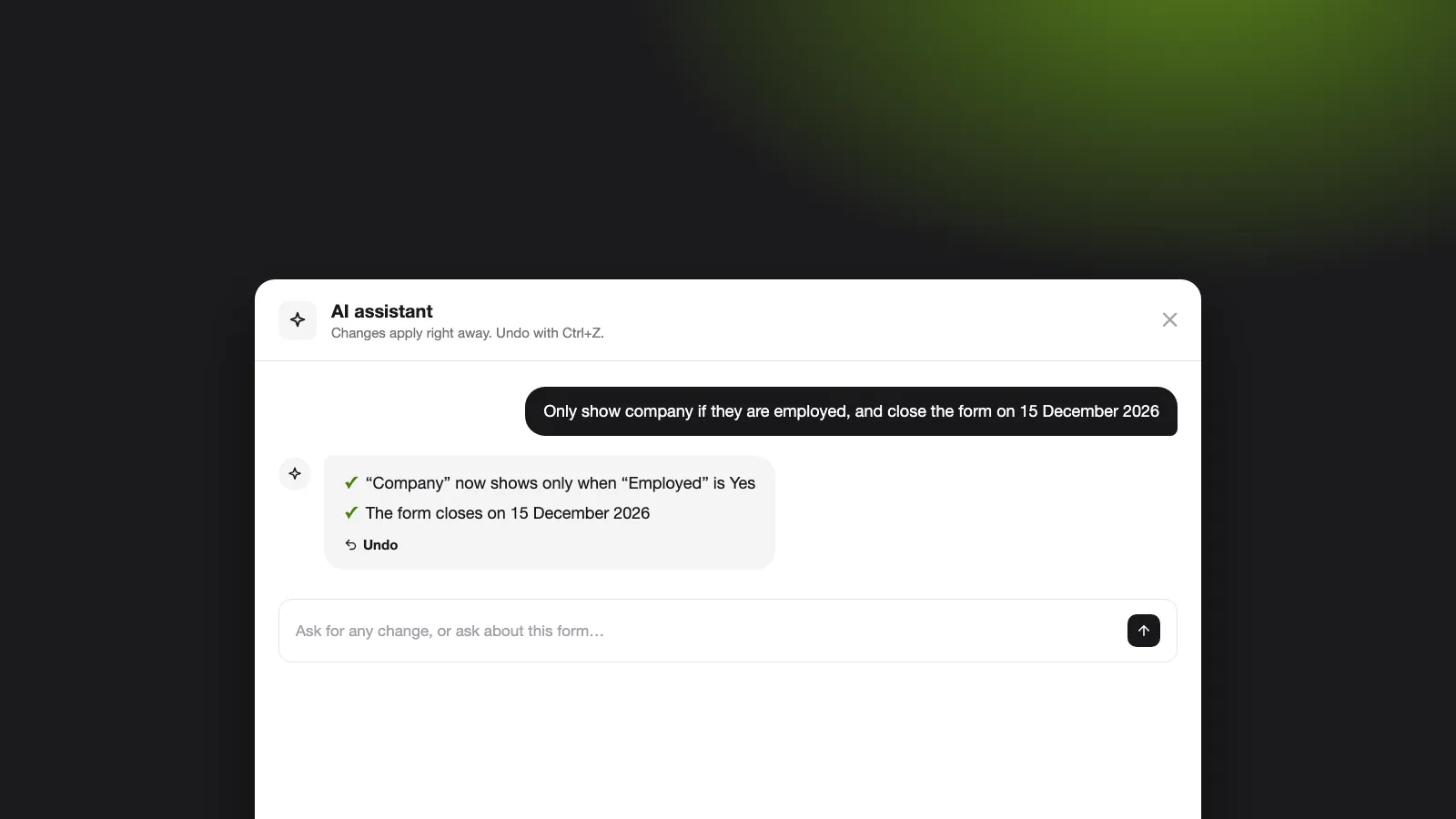
KyraForm now has an assistant that can change any part of a form from one plain sentence: questions, logic, pages, calculations, endings, settings, look and payments. It runs on Amazon Nova Lite, one of the cheapest models on Bedrock, and a full test run of 49 requests costs about two cents.
Getting a small model to do this reliably took more engineering than prompting. This post covers how the assistant is built, the quirks we found, and the guards that keep it from touching what you didn’t ask about.
Why a chat assistant in a form builder
Form builders are full of settings that are easy to miss. “Only show Company name when they’re employed” is one sentence to say, but four clicks across two tabs to build. A chat lets you say what you want and see it done.
The assistant lives in two places:
- Create a form: describe the form, and it drafts the questions plus any logic, pages or payments you mentioned.
- Ask AI in the editor: a floating panel that changes the open form or answers questions about it (“why is Phone hidden?”).
Every change lands as one undo step, so Ctrl+Z or the chat’s own Undo takes it back.
One message, many small calls
A small model does poorly when handed a whole form and asked to rewrite it. So we never ask it to. Each message is first routed, then split into tasks for the parts of the form it touches:
- Router. One call decides whether you want a change, asked a question, or just said hi, and names the parts of the form involved. A question about the form is answered right here, with no changes.
- Keyword backstop. A keyword check adds any part the router missed. An area with nothing to do returns no changes, so an extra call costs a fraction of a cent but can’t lose your request.
- Area calls, in a fixed order. Questions, question settings, calculations, validation, logic, endings, pages, form type, settings, look, access and payments. The order means logic can refer to a question created a moment earlier. Each area gets one worked example and only its own slice of the form, which keeps prompts short and answers focused.
- Guards in code. Every proposed operation is checked before it is applied (more below).
- Result. The updated form arrives in the editor as one undo step, with a reply saying what changed.
What a small model gets wrong
We compared Claude Haiku, Gemini and OpenAI models before choosing Nova Lite on cost. It is capable, but our eval surfaced four habits that would have broken forms in production.
| Habit | What it looked like | Fix |
|---|---|---|
| Fills every optional property | Asked to change one setting, it returned all of them, with empty strings that wiped real values | Settings are sent as a short {setting, value} list instead of a big object, and empty values the model wasn’t asked for are stripped |
| Copies values from examples | The email or link from a prompt example appeared in the owner’s form | Emails and URLs are accepted only if the owner’s own message contains them |
| “Improves” questions nobody mentioned | Asked to fix one label, it rewrote three | Each edit must point at a question the owner named, by id, label or a distinctive word |
| Breaks its own tool call | Rare invalid sequence as part of ToolUse errors, often after about 20 seconds |
Greedy decoding (temperature 0, top-k 1) and a fallback that reads plain JSON text |
None of these show up in a demo. All of them showed up within the first eval run.
Guards: the model proposes, code decides
The model never edits the form directly. It returns a list of operations, and plain code checks each one before applying it.
- Schema first. Every answer is parsed against a strict schema. Ids must exist; an answer that doesn’t fit is rejected for that part only, so one bad part never loses the rest of the request.
- Only what you asked for. Logic, validation and question edits are dropped unless your message names the question, or says “all” or “every”.
- Only values you wrote. Emails and links must appear in your message.
- Nothing silent. Anything left out is listed in the reply (“I left out: …”), and an operation that changed nothing is reported too.
- One retry with a reason. If saving the form fails, the editor sends the error back once, and the assistant tries again knowing what was rejected.
This split is the main lesson of the project. Prompts make the model mostly right; code makes the result safe.
Measuring it: an eval that costs two cents
Every prompt change runs against a suite of 49 requests on sample forms, from “remove the date of birth question” to “charge 1500 per ticket via Stripe in INR after they submit”. Each case checks the resulting form, not the model’s wording: did the right question appear, is the condition correct, did anything else change?
A full run on Nova Lite costs about $0.02, so it runs after every change to a prompt or an area. That habit found every quirk in the table above.
What we learned
- Split the work. Twelve small, focused calls beat one call that has to understand the whole form.
- Distrust defaults. A small model fills empty slots; design the output so empty means “no change”.
- Check against the request. The owner’s own words are the best guard against edits nobody asked for.
- Make evals cheap. If a run costs cents, you run it every time.
The AI assistant is included in the Pro plan with 500 messages a month. Open any form, select Ask AI, and tell it what you want.
You can also try the AI form builder without an account: describe a form, watch it appear, and save it if you like it. More on what it can do on the AI form generator page.