
Conditional logic: build one form that fits every respondent
Show only the questions that matter, fill in answers for people, and warn them before they submit. A practical guide to logic in KyraForm.
The KyraForm team 2 min read
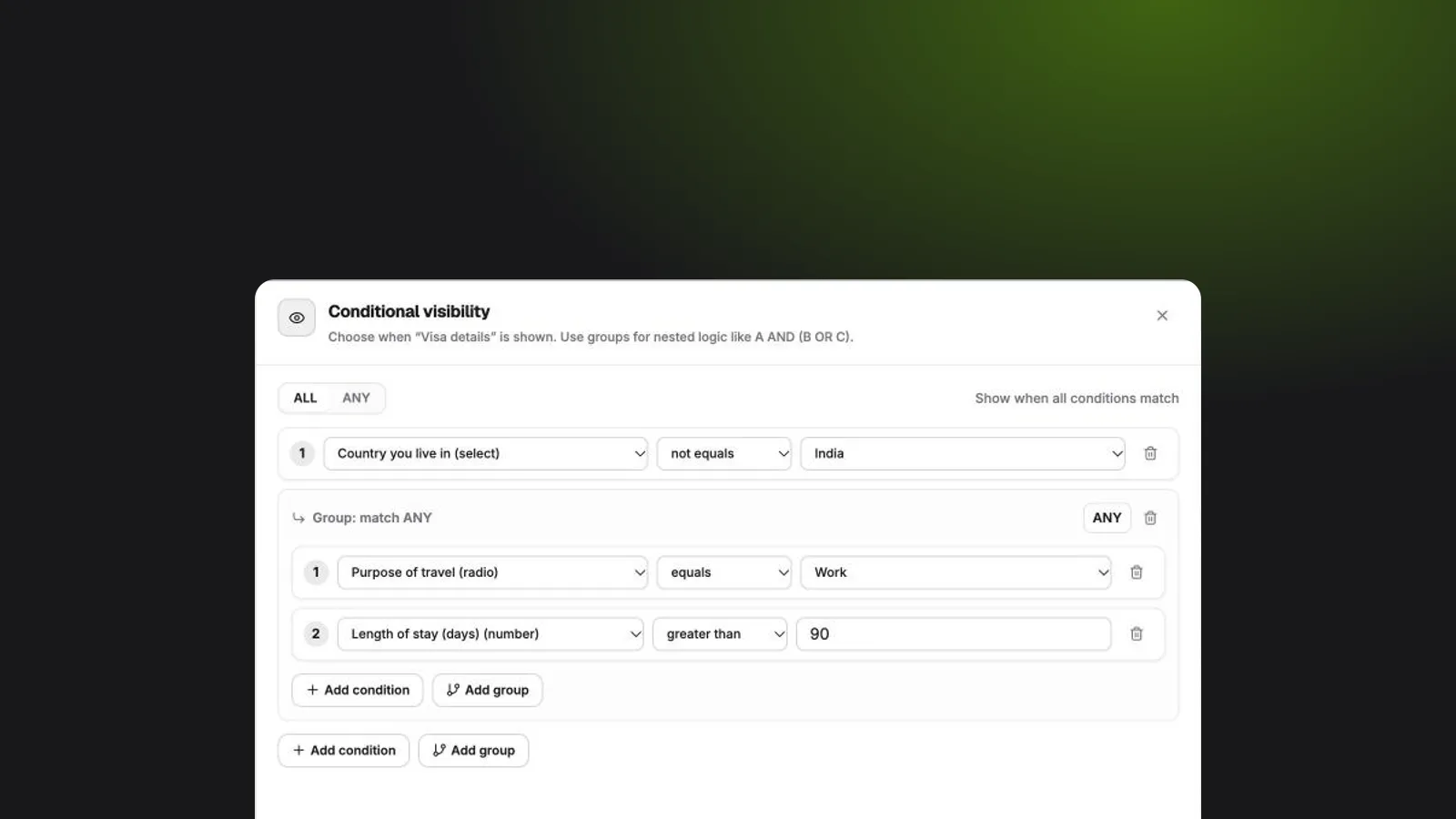
Long forms lose people. The usual fix is to make several shorter forms, one per situation, and then keep them all in sync. Conditional logic is the better fix: one form that changes as people answer it, so everyone sees only the questions that apply to them.
KyraForm has four logic tools, all in a question’s Advanced tab.
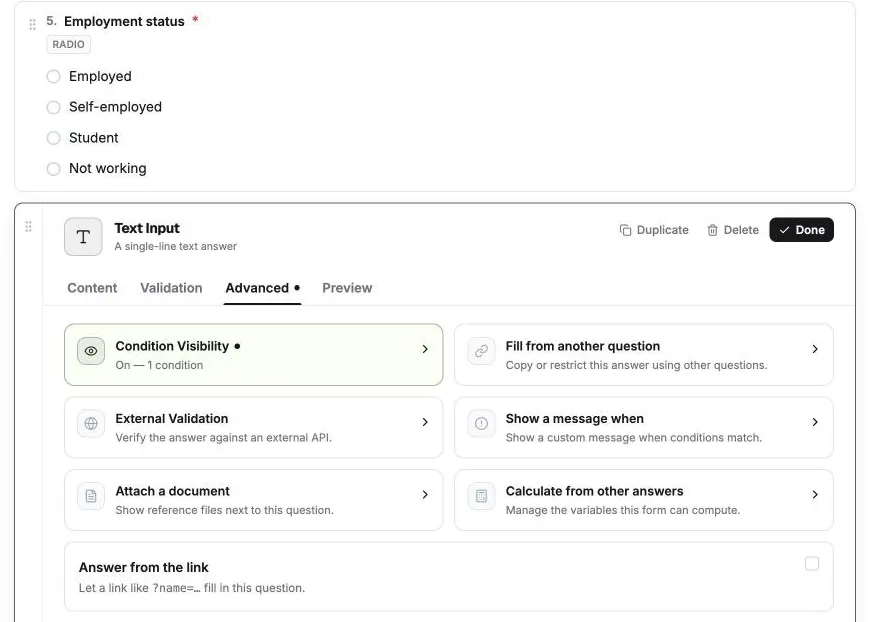
| Tool | Does | Example |
|---|---|---|
| Condition Visibility | Shows a question only when conditions match | Show Company name only when Employment is Employed |
| Fill from another question | Fills in, filters or locks a question based on others | City options depend on State |
| Show a message when | Shows an alert while people fill in the form | Warn when Age is under 18 |
| Page logic | Jumps between steps | Skip Spouse details when Married is No |
Start with one rule
Every logic tool uses the same condition builder: pick a Question, a Comparison and a Value. To show a question only when it’s relevant:
- Open the question, then Advanced → Condition Visibility.
- Select Add first condition and build the rule.
- Select Apply visibility.
Hidden questions aren’t required while they’re hidden, and they aren’t submitted. If someone fills one in and then changes an earlier answer so it hides again, that answer is dropped. The rule is checked on the server too, so it can’t be bypassed.
Combine conditions with ALL and ANY
Choose whether ALL conditions must match (AND) or ANY of them (OR). For anything more complex, select Add group to nest a group with its own ALL/ANY:
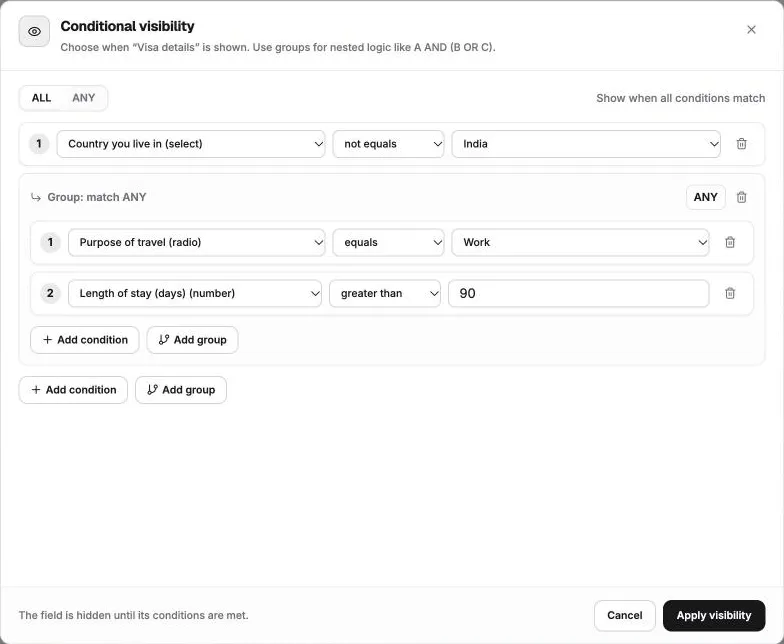
Show Visa details when Country is not India AND (Purpose equals Work OR Stay length is greater than 90)
Here’s that rule in the editor. The top level matches ALL, and the group inside it matches ANY:
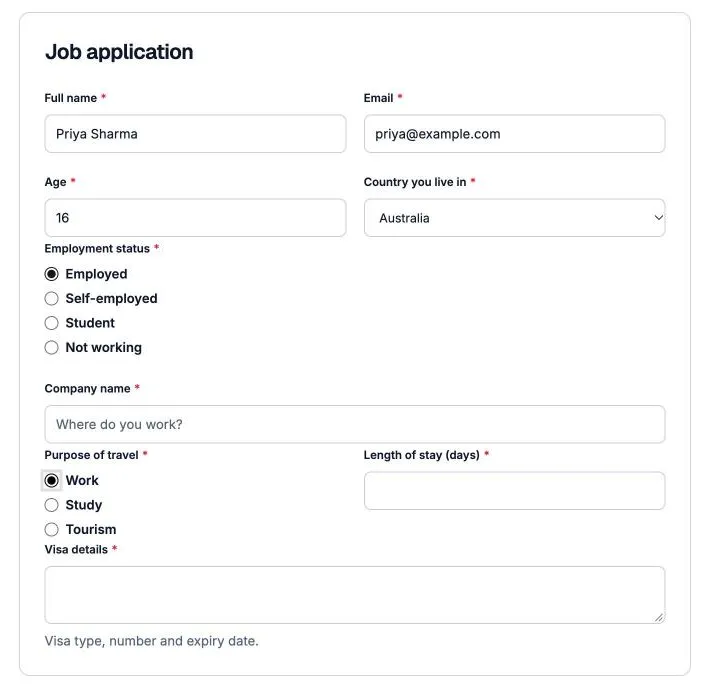
In the form, Company name appears as soon as someone picks Employed, and Visa details appears once they live outside India and are travelling for work:
Let the form do the typing
Fill from another question saves respondents effort:
- Cascading options filter one question’s choices by another’s answer, like State → City.
- Auto-fill rules set an answer when conditions match. A classic: Billing address copies Shipping address when Same as shipping is ticked.
- Option overrides change limits per answer. Student tickets allow 1–2, Group tickets allow 5–20.
Catch problems before you publish
A required question whose condition can never be true is a form nobody can submit. KyraForm’s publish check warns you about rules like that before the form goes live.
Want every setting in detail? See the conditional logic guide in the help center.